
Quick Start
Welcome to the DogPay Developer Platform. This guide will walk you through the standard integration steps, guiding you from environment preparation to successfully making your first API call.
Step 1: Register Your Account 👤
To ensure absolute isolation between development debugging and real funds, DogPay completely separates the account systems for the sandbox and production environments.
- Sandbox Environment: Visit the Sandbox Portal. Please first go to the merchant dashboard to register your test account. This environment allows you to safely simulate all business flows without generating any actual financial transactions. After completing the registration and submitting KYB/KYC verification, please provide your Account ID to your dedicated technical support engineer to assist in enabling API permissions.
- Production Environment: Visit the Production Portal. Once you have completed all integration and testing in the sandbox and passed the pre-launch verification checks, you may contact your Account Manager to apply for API permissions for your production account.
Step 2: Obtain API Keys and Security Configurations 🔑
API keys serve as the core credentials for secure communication between your application and the DogPay servers.
- Sandbox Acquisition: Once your sandbox account is granted API access, log in to the merchant dashboard and navigate to the API Management Console (top right corner of the homepage). Click
Reseton the API menu page to directly obtain yourAPI KeyandAPI Secret. - Production Acquisition: API access in the production environment requires internal security approval. Please contact your Account Manager to submit an internal application. Upon successful vetting of your qualifications, the technical support team will enable access and deliver the official key pairs via your registered email. You can also reset the key pairs at any time through the production merchant API management console.
Critical Configurations
- IP List: To ensure absolute communication security, the production environment strictly requires the configuration of a server IP whitelist. Requests initiated from IPs not included in the whitelist will be directly rejected. Whitelist configuration for the sandbox environment is optional.
- Webhook URL: Please ensure the use of the HTTPS protocol.
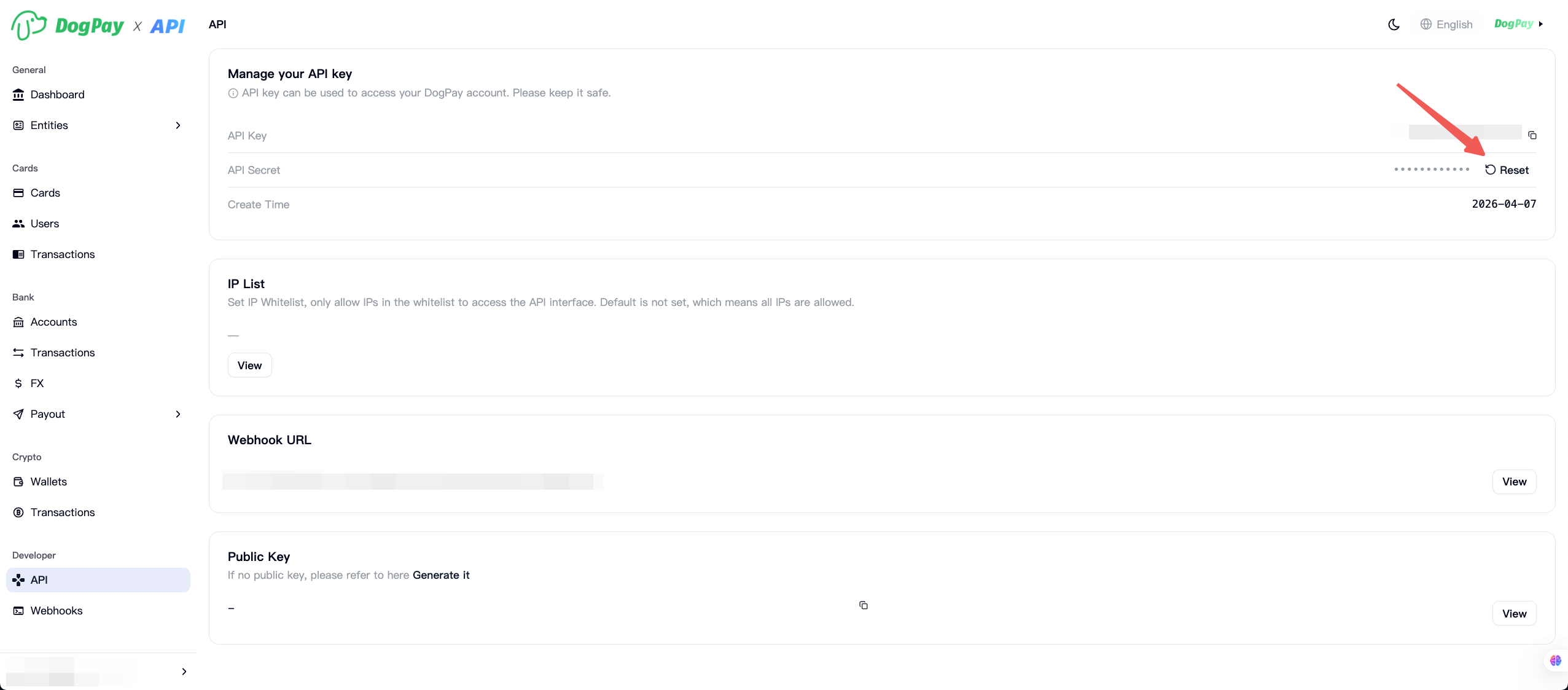
Additionally, please add the following DogPay egress IPs to your firewall whitelist to ensure stable API communication:
Please contact your account manager or technical support.
Step 3: Confirm API Environments 🌐
Before initiating any requests, please ensure that your code points to the correct server gateway.
- Sandbox Base URL:
https://sandbox-api-v2.dogpay.com - Production Base URL:
https://api.dogpay.com
Step 4: Generate an Access Token 🛡️
The DogPay API utilizes a dynamic token mechanism for interface authentication. The access token (accessToken) is the sole credential required to call underlying protected business endpoints. Please use the Generate Access Token API to retrieve the corresponding token. For detailed steps and descriptions, please refer to the Authentication Overview.
All business requests must carry this token in the HTTP Headers, and the entire transmission must be conducted over the HTTPS protocol. For security purposes, tokens have a limited lifespan and must be refreshed periodically upon expiration.
Step 5: Choose Your Business Scenario 🚀
After completing the basic authentication setup and successfully obtaining the accessToken, you can proceed to the specific integration guide that matches your business scenario to begin official development:
- Card Issuing (CAAS): Create cardholders, issue virtual or physical cards, and manage spending control rules.
- Virtual Bank Accounts & Transfers (BaaS): Complete entity onboarding for enterprises or individuals, open virtual accounts, manage balances, and handle deposits and payouts.
- Crypto Wallet & Stablecoin Services (WaaS): Manage cryptocurrency wallets, handle stablecoin transfers, and integrate various on-chain capabilities.
- Acquiring & Payment Processing (Payment): Process global fiat and cryptocurrency acquiring, integrate 3DS authentication, and manage payment flows.
Notification Push (Webhooks) 🔔
Within the DogPay ecosystem, most core operations involving real fund movements, card issuance approvals, and cryptocurrency blockchain transactions are executed asynchronously.
When a transaction status changes (e.g., a user deposit succeeds, a card status updates to active, or an internal transfer completes), the DogPay server will proactively push a POST request to the Webhook URL configured in your merchant dashboard. As a developer, you must properly listen to and process these event notifications to achieve a closed-loop business state.
To learn more about specific event data structures, Signature Validation methods, and failure retry mechanisms, please refer to:
- Webhook Integration Guide: Comprehensively understand the DogPay notification mechanism and secure integration standards.
Updated 3 months ago